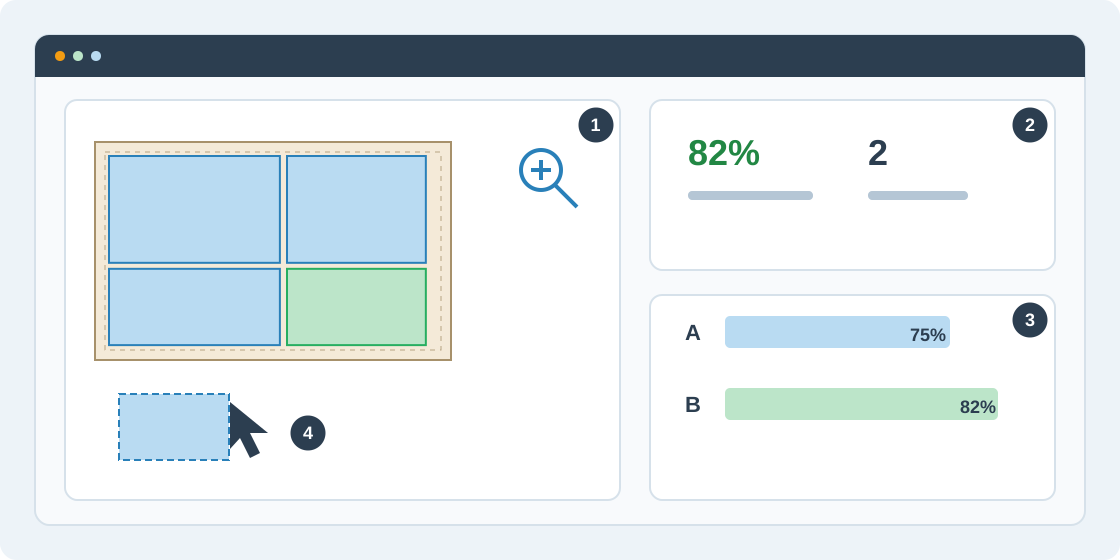
1Inspect each sheet
After optimization, choose the material and sheet on the canvas. Zoom in to read part labels and dimensions; pan or fit the sheet to see the whole plan. Check repeated sheets and material groups rather than inspecting only the first layout.
2Read the results
Open Results to review utilization, waste, sheet count and placed parts. Check cut length together with its method: saw travel and router contour perimeter measure different work. Do not compare their lengths as if they were the same measurement.
3Compare saved alternatives
Choose Generate alternatives to create additional runs. In Results, open Runs and pick a baseline and candidate for comparison. Review their metrics, then open the preferred run. Each saved run retains its own input settings, so check them before export.
4Understand manual edits
Select a saved result and choose Edit result to create a separate custom draft. Move parts or use precise X/Y coordinates; each accepted edit is validated and saved. The original result remains available. Place every requested copy and finalize the draft before exporting or printing its production plan.